Quickly manage your tasks

To Do Widget is an efficient note taker for your Dashboard.

Top Recommended Alternative

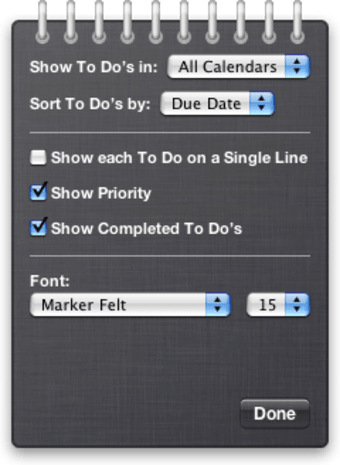
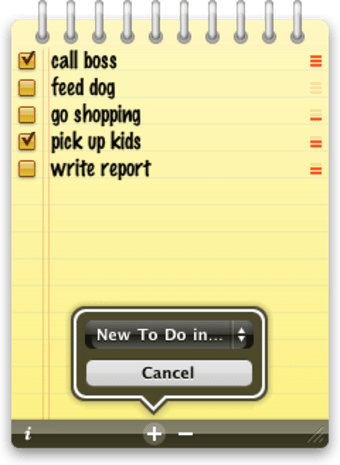
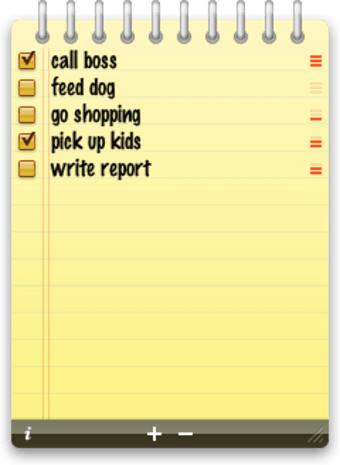
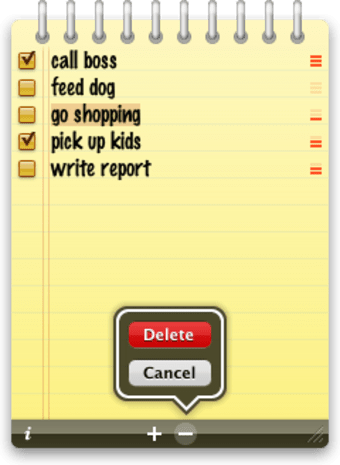
Sure, you'll say, but there are already plenty of note takers on Mac, so why would I choose this one? The To Do Widget aims for efficiency, with a notepad-like interface and clear listing of your notes. Flip the widget over to handle settings, like in which calendars to show your to do lists and how to sort items. You can also reveal the priority level of each item and have completed items remain in your list.

The To Do Widget also integrates perfectly with Mail and iCal so you can synchronize events in your lists. One thing that disappointed us a bit are the limited customization options. You can select the font type and size used in your notes but you can't change the theme or color of the notepad.

Despite this minor cosmetic issue, the To Do Widget is actually a very efficient note taker.
  • Pros

    • Integrates with iCal and Mail
    • Manage appearance of your lists
  • Cons

    • Can't really customize the interface
 0/5

App specs

  • License

    Free

  • Version

    1.0

  • Latest update

  • Platform

    Mac

    Other platforms (1)
  • OS

    Mac OS X

  • Language

    English

    Available languages

    • German
    • English
    • Spanish
    • French
    • Portuguese
  • Downloads

    2.6K

    Last month's downloads

    • 2
  • Size

    358.38 KB

  • Developer

Also available in other platforms

Program available in other languages


User reviews about To Do Widget

5

1 reviews

Add review

Main reviews for you

  • Anonymous user

    Too good to be true. I've tried any number of To-do programs wanting simplicity - what's to do, due date, ease of entry, syncing and completed to dos disappearing from view. Most PIMs are far more complicated than they need to be, with priorities and groups and start dates versus due dates. Price is usually linked to 'features' but what do you really want from a ToDo list? Think about it: how much of that complexity does any normal person need? This does it all, and it's available as a widget, so always on the desktop - more or less - and it's free. The interface is customisable enough to get a look that's OK and so what if you can't change the colour? Because it integrates with iCal it automatically 'sorts' everything by replicating your Calendar colours anyway. I love it. Pros: Neat and simpleIntegrates with iCal Cons: None

More

You may also like

Explore Apps

Latest articles

Laws concerning the use of this software vary from country to country. We do not encourage or condone the use of this program if it is in violation of these laws.
Softonic

Is To Do Widget safe?

100/100

Score result: Clean

This file passed a comprehensive security scan using VirusTotal technology. It is safe to download.

  • Virus free
  • Spyware free
  • Malware free
  • Verified by Security Partners

    VirusTotal logo

Scan Info

Last scan
Monday, April 22, 2024
Scan provider
VirusTotal · Full report

File Integrity

File
ToDo.zip
SHA256
3b6eb9c9155121e4b26ac3a85eefedcfe6ecb18e35d4b70f6b45892cf21a3fdf
SHA1
dcaf9ef0d3a9c9cab0ae661b882e01db5df13fc5

Softonic security commitment

To Do Widget has been thoroughly scanned by our advanced security systems and verified by industry-leading partners. This file comes from the official developer and has passed all our security checks, showing no signs of viruses, malware, or spyware. For more information, visit our Security and Trust Center